
Introduction
Artificial intelligence has moved far beyond being a futuristic concept. In 2026, AI is transforming the way people work, communicate, create, and make decisions. Whether you’re a business owner looking to automate repetitive tasks, a student seeking better research tools, a software developer writing code faster, or a content creator producing professional-quality videos and images, there is now an AI tool designed specifically for your needs.
The rapid evolution of artificial intelligence has also created a challenge: choosing the right tool. Hundreds of AI platforms now claim to be the best, but not every solution delivers the same level of performance, reliability, or value. Some excel at generating written content, while others focus on image creation, software development, customer support, data analysis, or business automation. Selecting the wrong platform can waste both time and money.
That is why this guide was created.
Instead of simply listing popular names, we carefully evaluated today’s leading AI tools based on several important factors, including ease of use, features, pricing, reliability, innovation, business value, and overall user experience. Whether you’re searching for a free AI assistant or an enterprise-grade solution, this guide will help you make an informed decision.
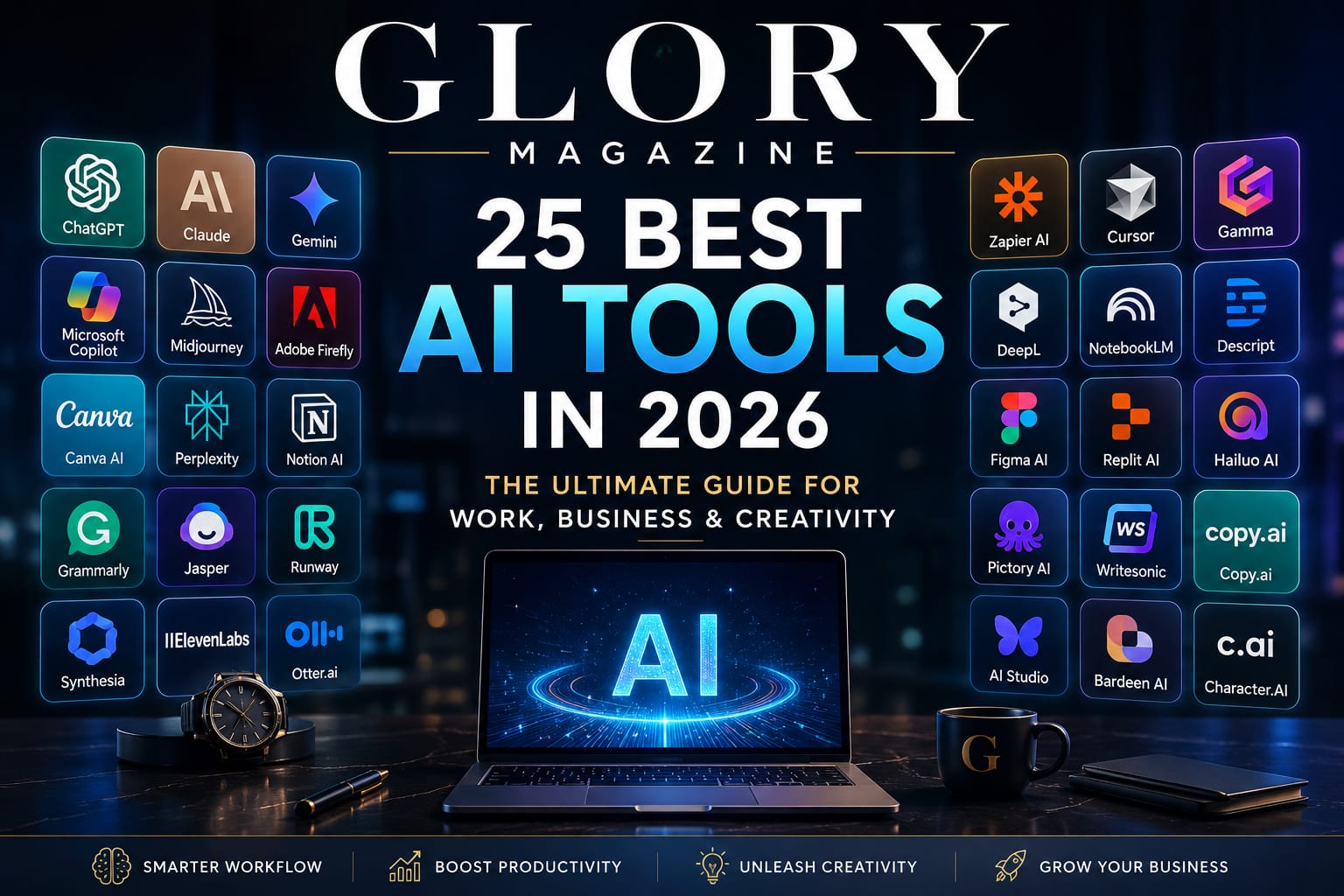
In this comprehensive guide, you’ll discover 25 of the best AI tools available in 2026 across multiple categories, including writing, coding, design, productivity, research, marketing, and business. We’ll explain what each platform does best, its strengths and weaknesses, pricing, and who should consider using it.
By the end of this article, you’ll have a clear understanding of which AI tools deserve your attention and which ones are best suited for your personal or professional goals.
Quick Comparison
| AI Tool | Best For | Free Plan | Overall Rating |
|---|---|---|---|
| ChatGPT | Writing, Research & Productivity | ✅ | ⭐⭐⭐⭐⭐ |
| Claude | Long-form Writing & Analysis | ✅ | ⭐⭐⭐⭐⭐ |
| Google Gemini | Research & Google Workspace | ✅ | ⭐⭐⭐⭐☆ |
| Microsoft Copilot | Microsoft 365 Users | Limited | ⭐⭐⭐⭐☆ |
| GitHub Copilot | Software Development | Trial | ⭐⭐⭐⭐⭐ |
| Midjourney | AI Image Generation | ❌ | ⭐⭐⭐⭐⭐ |
| Adobe Firefly | Professional Design | Limited | ⭐⭐⭐⭐☆ |
| Perplexity AI | AI Search & Research | ✅ | ⭐⭐⭐⭐⭐ |
| Notion AI | Productivity & Notes | Limited | ⭐⭐⭐⭐☆ |
| Canva AI | Design & Social Media | ✅ | ⭐⭐⭐⭐☆ |
The complete list of all 25 AI tools appears later in this guide.
Our Top Picks
If you’re short on time, here are our editors’ top recommendations.
🏆 Best Overall AI Tool
ChatGPT
Ideal for professionals, students, developers, marketers, entrepreneurs, and anyone looking for an all-purpose AI assistant.
✍ Best AI Writing Assistant
Claude
Outstanding for long-form articles, reports, research, and creative writing with a natural writing style.
💻 Best AI Coding Assistant
GitHub Copilot
A productivity powerhouse for developers, offering intelligent code suggestions, debugging assistance, and seamless integration with popular code editors.
🎨 Best AI Image Generator
Midjourney
Known for producing highly detailed, artistic, and visually stunning AI-generated images suitable for creative professionals.
🔍 Best AI Research Tool
Perplexity AI
Combines conversational AI with source-backed answers, making it one of the best tools for research, learning, and fact-checking.
🏢 Best AI Tool for Business Productivity
Microsoft Copilot
A powerful companion for businesses already using Microsoft Word, Excel, Outlook, Teams, and other Microsoft 365 applications.
Artificial intelligence is evolving rapidly, and no single platform is perfect for everyone. The best choice depends on your goals, budget, and workflow. In the next section, we’ll take an in-depth look at each AI tool, starting with the platform that continues to set the benchmark for conversational AI.
1. ChatGPT – Best Overall AI Assistant
Best For: Writing, research, brainstorming, coding, business, education, and everyday productivity.
Overview
Since its launch, ChatGPT has become one of the world’s most widely used AI assistants. Developed by OpenAI, it has evolved from a chatbot into a comprehensive productivity platform capable of writing articles, analyzing documents, generating ideas, solving programming problems, creating business plans, translating languages, and assisting with creative work.
Whether you’re a student, entrepreneur, software developer, marketer, teacher, or business executive, ChatGPT adapts to your workflow and helps complete tasks significantly faster.
The latest versions are capable of understanding both text and images, handling complex reasoning, generating code, summarizing lengthy reports, and assisting with strategic decision-making.
Key Features
- Natural conversations
- High-quality article writing
- Programming assistance
- Business planning
- Data analysis
- Image understanding
- Research support
- Brainstorming ideas
- Resume writing
- Email drafting
- Translation
- Creative writing
Pros
✔ Extremely versatile
✔ Easy to use
✔ Excellent writing quality
✔ Strong reasoning abilities
✔ Large ecosystem
✔ Continuous improvements
Cons
✖ Some advanced features require a paid subscription
✖ Responses should still be fact-checked for critical decisions
Pricing
- Free Plan Available
- Paid plans with additional features and higher usage limits
Verdict
If you only plan to use one AI assistant in 2026, ChatGPT remains one of the strongest choices because of its versatility. It performs well across nearly every category, making it suitable for both beginners and professionals.
Overall Rating: ⭐⭐⭐⭐⭐
2. Claude – Best AI for Long-Form Writing
Best For: Writers, researchers, analysts, legal professionals, and businesses.
Overview
Claude has earned a reputation for producing thoughtful, well-structured, and natural-sounding responses. It particularly excels when working with lengthy documents, making it a favorite among professionals who regularly deal with reports, research papers, contracts, and extensive writing projects.
Unlike many AI assistants that focus on speed, Claude emphasizes clarity, context, and coherence. Its ability to maintain consistency across long conversations makes it especially valuable for authors, editors, consultants, and educators.
Key Features
- Long document analysis
- Natural writing style
- Research assistance
- Document summarization
- Brainstorming
- Coding support
- Business writing
Pros
✔ Outstanding long-form writing
✔ Excellent document analysis
✔ Clean, readable responses
✔ Strong reasoning
Cons
✖ Smaller ecosystem compared to ChatGPT
✖ Some premium capabilities require a subscription
Pricing
- Free version available
- Premium subscription available
Verdict
If your daily work revolves around writing, documentation, or research, Claude is one of the finest AI assistants available today.
Overall Rating: ⭐⭐⭐⭐⭐
3. Google Gemini – Best for Google Workspace Users
Best For: Google Docs, Gmail, Drive, Sheets, students, researchers, and Android users.
Overview
Google Gemini integrates deeply with Google’s ecosystem, making it particularly attractive for users who already rely on Gmail, Google Docs, Google Sheets, Google Drive, and Android devices.
Its strength lies in productivity. Instead of switching between multiple applications, users can leverage AI directly within familiar Google services to draft emails, summarize documents, generate spreadsheets, organize information, and conduct research.
Gemini also benefits from Google’s vast knowledge infrastructure, allowing it to provide helpful contextual information for many everyday tasks.
Key Features
- Google Docs integration
- Gmail assistance
- Spreadsheet support
- AI-powered search
- Image understanding
- Android integration
- Presentation assistance
Pros
✔ Excellent Google integration
✔ Clean interface
✔ Helpful for office work
✔ Great for students
Cons
✖ Best experience requires Google’s ecosystem
✖ Advanced features may require premium plans
Pricing
- Free version available
- Premium plans available
Verdict
For people who spend most of their day inside Google Workspace, Gemini can significantly improve productivity.
Overall Rating: ⭐⭐⭐⭐☆
4. Microsoft Copilot – Best AI for Office Professionals
Best For: Microsoft 365 users, businesses, corporate teams, and enterprise productivity.
Overview
Microsoft Copilot transforms traditional office software into intelligent productivity tools. Integrated with Microsoft Word, Excel, Outlook, PowerPoint, and Teams, it assists users with writing reports, analyzing spreadsheets, summarizing meetings, creating presentations, and managing emails.
Businesses adopting Microsoft Copilot often report noticeable productivity improvements because employees spend less time on repetitive administrative work.
For organizations already invested in the Microsoft ecosystem, Copilot feels like a natural extension rather than a separate AI application.
Key Features
- Word integration
- Excel automation
- Outlook email assistance
- Teams meeting summaries
- PowerPoint creation
- Enterprise security
Pros
✔ Powerful business features
✔ Excellent Office integration
✔ Strong enterprise support
✔ Time-saving automation
Cons
✖ Less useful outside Microsoft’s ecosystem
✖ Premium licensing costs
Pricing
Generally available through Microsoft 365 subscriptions and enterprise licensing.
Verdict
Microsoft Copilot is one of the best AI productivity tools for modern businesses.
Overall Rating: ⭐⭐⭐⭐☆
5. GitHub Copilot – Best AI Coding Assistant
Best For: Software developers, engineers, students, and programming professionals.
Overview
GitHub Copilot has fundamentally changed how developers write software. Instead of manually writing every line of code, developers receive intelligent code suggestions, function completions, debugging assistance, documentation generation, and even architectural recommendations.
Compatible with popular programming languages including Python, JavaScript, Java, C++, C#, Go, PHP, Ruby, Kotlin, and many others, GitHub Copilot integrates directly into leading development environments.
Its ability to understand the surrounding code context helps developers write cleaner code while reducing repetitive work.
Key Features
- Code completion
- Function generation
- Bug fixing
- Documentation assistance
- Multi-language support
- IDE integration
- Code explanations
Pros
✔ Dramatically speeds development
✔ Supports many programming languages
✔ Excellent IDE integration
✔ Improves developer productivity
Cons
✖ Requires developer oversight
✖ Subscription required after the trial period
Pricing
Free for eligible students and open-source maintainers, with paid plans available for individuals and businesses.
Verdict
For software developers, GitHub Copilot is one of the most valuable AI investments available today.
Overall Rating: ⭐⭐⭐⭐⭐
AI Tool Comparison
| Tool | Best For | Free Version | Ease of Use | Business Use | Overall Rating |
|---|---|---|---|---|---|
| ChatGPT | General AI | ✅ | ⭐⭐⭐⭐⭐ | ⭐⭐⭐⭐⭐ | ⭐⭐⭐⭐⭐ |
| Claude | Writing | ✅ | ⭐⭐⭐⭐⭐ | ⭐⭐⭐⭐☆ | ⭐⭐⭐⭐⭐ |
| Gemini | Google Users | ✅ | ⭐⭐⭐⭐☆ | ⭐⭐⭐⭐☆ | ⭐⭐⭐⭐☆ |
| Microsoft Copilot | Office Work | Limited | ⭐⭐⭐⭐☆ | ⭐⭐⭐⭐⭐ | ⭐⭐⭐⭐☆ |
| GitHub Copilot | Programming | Trial | ⭐⭐⭐⭐☆ | ⭐⭐⭐⭐⭐ | ⭐⭐⭐⭐⭐ |
6. Midjourney – Best AI Image Generator
Best For: Digital artists, marketers, advertisers, designers, content creators, and creative agencies.
Overview
Midjourney has established itself as one of the most respected AI image generation platforms in the creative industry. Known for producing stunning, artistic, and highly detailed visuals, it has become a favorite among designers, advertisers, book publishers, architects, and digital artists.
Unlike many AI image generators that focus primarily on speed, Midjourney emphasizes image quality and creativity. Its ability to understand detailed prompts allows users to create everything from realistic portraits and cinematic landscapes to futuristic cityscapes and luxury product advertisements.
For businesses, Midjourney offers an affordable way to create marketing visuals, concept art, social media graphics, and promotional materials without the need for expensive photo shoots.
Key Features
- High-quality AI-generated artwork
- Photorealistic image creation
- Artistic illustrations
- Product concept visualization
- Architectural rendering
- Character design
- Landscape generation
- Multiple aspect ratios
- Style customization
Pros
✔ Exceptional image quality
✔ Highly creative outputs
✔ Strong community support
✔ Suitable for professional use
Cons
✖ Learning effective prompts takes practice
✖ No permanent free plan
✖ Limited image editing compared to dedicated design software
Pricing
Subscription-based plans with different usage limits.
Verdict
If image quality is your top priority, Midjourney remains one of the best AI image generators available in 2026.
Overall Rating: ⭐⭐⭐⭐⭐
7. Adobe Firefly – Best AI Tool for Professional Designers
Best For: Graphic designers, photographers, creative agencies, and Adobe Creative Cloud users.
Overview
Adobe Firefly brings artificial intelligence directly into the creative workflow of professionals who use Photoshop, Illustrator, Express, and other Adobe applications.
Instead of replacing designers, Firefly acts as a creative assistant. It can generate images, expand backgrounds, remove unwanted objects, recolor illustrations, create text effects, and accelerate repetitive editing tasks.
One of Firefly’s biggest strengths is its focus on commercially safe content. Adobe has trained many of its models using licensed and public-domain material, making Firefly appealing to businesses that need AI-generated content with fewer copyright concerns.
Key Features
- AI image generation
- Generative Fill
- Background extension
- Object removal
- AI text effects
- Vector recoloring
- Photoshop integration
- Illustrator integration
Pros
✔ Excellent integration with Adobe software
✔ Commercial-friendly workflows
✔ Easy for professional designers
✔ High-quality editing tools
Cons
✖ Best experience requires Adobe Creative Cloud
✖ Some advanced features require paid subscriptions
Pricing
Available through Adobe Creative Cloud plans with limited free credits for some users.
Verdict
For professionals already working within Adobe’s ecosystem, Firefly is one of the smartest AI investments available.
Overall Rating: ⭐⭐⭐⭐☆
8. Canva AI – Best AI Tool for Everyday Design
Best For: Small businesses, students, entrepreneurs, marketers, educators, and social media creators.
Overview
Canva has transformed graphic design by making professional-looking visuals accessible to everyone, regardless of design experience. Its AI-powered features now allow users to generate presentations, edit photos, write marketing copy, remove backgrounds, create social media graphics, and produce videos with minimal effort.
For startups and small businesses with limited budgets, Canva AI offers tremendous value by combining multiple creative tools into a single platform.
Key Features
- AI presentation creator
- Magic Design
- Magic Write
- Background remover
- AI image generation
- Video editing
- Social media templates
- Brand kit
Pros
✔ Extremely beginner-friendly
✔ Large template library
✔ Affordable pricing
✔ Excellent collaboration tools
Cons
✖ Limited advanced editing capabilities
✖ Less flexible than professional design software
Pricing
Free plan available with premium subscription options.
Verdict
For everyday design tasks, Canva AI offers one of the best combinations of simplicity, affordability, and functionality.
Overall Rating: ⭐⭐⭐⭐☆
9. Perplexity AI – Best AI Search Engine
Best For: Researchers, students, journalists, analysts, and professionals.
Overview
Traditional search engines provide long lists of links, leaving users to find the answers themselves. Perplexity AI takes a different approach by combining conversational AI with web-based research to deliver direct answers while citing supporting sources.
This makes it particularly valuable for professionals who need quick summaries, market research, academic information, or fact-checking without spending hours opening dozens of websites.
Its transparent citation system also helps users verify information more easily than many conventional AI assistants.
Key Features
- AI-powered search
- Source citations
- Research summaries
- Follow-up questions
- Document analysis
- Academic support
- News summaries
Pros
✔ Fast research
✔ Source-backed responses
✔ Excellent user interface
✔ Great for learning
Cons
✖ Not intended for creative writing
✖ Some premium research features require subscription
Pricing
Free version available with optional premium plans.
Verdict
Perplexity AI is one of the strongest choices for anyone who values accurate research and transparent sourcing.
Overall Rating: ⭐⭐⭐⭐⭐
10. Notion AI – Best Productivity Assistant
Best For: Teams, businesses, freelancers, students, and project managers.
Overview
Notion has become one of the world’s most popular productivity platforms, and the addition of AI has made it even more powerful.
Notion AI can summarize meeting notes, generate project documentation, write blog posts, organize research, create task lists, translate content, and assist with brainstorming sessions—all without leaving your workspace.
Its seamless integration with notes, databases, calendars, and collaborative documents makes it especially attractive for modern remote teams.
Key Features
- AI writing assistant
- Meeting summaries
- Knowledge management
- Task organization
- Project planning
- Content generation
- Translation
- Brainstorming
Pros
✔ Excellent productivity features
✔ Integrated workspace
✔ Strong collaboration tools
✔ Easy organization
Cons
✖ Best value for existing Notion users
✖ AI features require premium access
Pricing
AI features are available as part of paid Notion plans.
Verdict
If your work revolves around planning, documentation, and collaboration, Notion AI is one of the best productivity assistants available.
Overall Rating: ⭐⭐⭐⭐☆
Updated Comparison Table
| Tool | Category | Free Version | Best For | Rating |
|---|---|---|---|---|
| ChatGPT | AI Assistant | ✅ | General Productivity | ⭐⭐⭐⭐⭐ |
| Claude | Writing | ✅ | Long-form Writing | ⭐⭐⭐⭐⭐ |
| Gemini | Productivity | ✅ | Google Users | ⭐⭐⭐⭐☆ |
| Microsoft Copilot | Business | Limited | Microsoft 365 | ⭐⭐⭐⭐☆ |
| GitHub Copilot | Coding | Trial | Developers | ⭐⭐⭐⭐⭐ |
| Midjourney | Image Generation | ❌ | Creative Professionals | ⭐⭐⭐⭐⭐ |
| Adobe Firefly | Design | Limited | Adobe Users | ⭐⭐⭐⭐☆ |
| Canva AI | Design | ✅ | Beginners & Marketing | ⭐⭐⭐⭐☆ |
| Perplexity AI | Research | ✅ | Research & Search | ⭐⭐⭐⭐⭐ |
| Notion AI | Productivity | Limited | Teams & Projects | ⭐⭐⭐⭐☆ |
11. Grammarly – Best AI Writing & Grammar Assistant
Best For: Writers, students, professionals, bloggers, marketers, and business communication.
Overview
Grammarly has evolved far beyond a grammar checker. Today, it is a comprehensive AI writing assistant that helps users improve clarity, tone, readability, and professionalism across emails, reports, articles, proposals, and social media content.
One of Grammarly’s biggest strengths is its real-time feedback. Instead of simply correcting spelling mistakes, it suggests stronger vocabulary, smoother sentence structures, and more appropriate writing tones based on your audience.
Whether you’re drafting an important business proposal or writing a blog post, Grammarly helps ensure your message is polished and professional.
Key Features
- Grammar and spelling correction
- Tone detection
- Sentence rewriting
- Clarity suggestions
- AI content generation
- Plagiarism detection (Premium)
- Browser extension
- Microsoft Office integration
Pros
✔ Extremely easy to use
✔ Excellent grammar suggestions
✔ Works across multiple platforms
✔ Saves time while editing
Cons
✖ Premium features require a subscription
✖ Occasionally suggests changes that may alter writing style
Pricing
- Free plan available
- Premium and Business plans
Verdict
Grammarly remains one of the best AI writing assistants for anyone who communicates professionally.
Overall Rating: ⭐⭐⭐⭐⭐
12. Jasper AI – Best AI Tool for Marketing Teams
Best For: Marketing agencies, copywriters, e-commerce businesses, and content marketers.
Overview
Jasper AI is designed specifically for businesses that create large volumes of marketing content. From blog articles and advertising copy to email campaigns and product descriptions, Jasper helps marketing teams produce consistent, high-quality content at scale.
It also supports brand voice customization, allowing organizations to maintain a consistent tone across different campaigns.
Key Features
- Marketing copy generation
- Blog writing
- Product descriptions
- Email campaigns
- Brand voice
- SEO assistance
- Team collaboration
Pros
✔ Excellent for marketing
✔ Brand consistency
✔ Fast content creation
✔ Team-friendly
Cons
✖ Less useful for general-purpose AI tasks
✖ Premium pricing
Pricing
Subscription-based.
Verdict
Businesses focused on content marketing will find Jasper AI to be a valuable productivity tool.
Overall Rating: ⭐⭐⭐⭐☆
13. Runway – Best AI Video Editing Platform
Best For: YouTubers, filmmakers, advertisers, social media creators, and production studios.
Overview
Runway has become one of the leading AI-powered video creation platforms. It simplifies complex editing tasks such as background removal, object replacement, motion tracking, automatic subtitles, and text-to-video generation.
Its intuitive interface makes advanced video editing accessible even to users without professional editing experience.
Key Features
- Text-to-video
- Background removal
- Motion tracking
- Video enhancement
- AI effects
- Automatic subtitles
- Object editing
Pros
✔ Powerful AI video tools
✔ Easy interface
✔ Excellent for creators
✔ Frequent updates
Cons
✖ High-resolution exports may require premium plans
✖ Rendering can take time for complex projects
Pricing
Free tier with paid upgrades.
Verdict
Runway is one of the most innovative AI video editing platforms available today.
Overall Rating: ⭐⭐⭐⭐⭐
14. Synthesia – Best AI Avatar Video Generator
Best For: Corporate training, education, presentations, HR, and marketing.
Overview
Synthesia allows users to create professional videos featuring AI-generated presenters without hiring actors or recording studios. Simply enter your script, choose an avatar, and the platform generates a polished video within minutes.
This technology is particularly useful for employee training, educational content, onboarding videos, and multilingual business communication.
Key Features
- AI presenters
- Text-to-video
- Multiple languages
- Corporate templates
- Voice generation
- Presentation videos
Pros
✔ Professional-looking videos
✔ Saves production costs
✔ Supports multiple languages
✔ Beginner-friendly
Cons
✖ Less flexible than live video production
✖ Premium pricing
Pricing
Subscription plans available.
Verdict
Synthesia is an excellent solution for organizations producing educational or corporate video content.
Overall Rating: ⭐⭐⭐⭐☆
15. ElevenLabs – Best AI Voice Generator
Best For: Audiobooks, podcasts, YouTube creators, educators, and voice-over artists.
Overview
ElevenLabs has set a new standard for AI-generated voices. Its speech synthesis produces remarkably natural intonation, emotional expression, and pronunciation, making it difficult to distinguish from human narration.
Content creators increasingly use ElevenLabs for audiobooks, documentaries, podcasts, explainer videos, and multilingual voiceovers.
Key Features
- Natural voice synthesis
- Voice cloning
- Multilingual support
- Emotional speech
- Audio dubbing
- Text-to-speech
Pros
✔ Highly realistic voices
✔ Excellent pronunciation
✔ Wide language support
✔ Professional audio quality
Cons
✖ Advanced voice cloning features require responsible use
✖ Premium subscription for heavy usage
Pricing
Free tier with paid plans.
Verdict
ElevenLabs delivers some of the most realistic AI-generated voices available today.
Overall Rating: ⭐⭐⭐⭐⭐
16. Otter.ai – Best AI Meeting Assistant
Best For: Businesses, remote teams, journalists, students, and researchers.
Overview
Otter.ai automatically records, transcribes, and summarizes meetings, interviews, and lectures. Instead of taking notes manually, users can focus on the conversation while Otter captures important details.
Its searchable transcripts also make it easy to revisit discussions long after the meeting ends.
Key Features
- Live transcription
- Meeting summaries
- Speaker identification
- Searchable notes
- Team collaboration
- Calendar integration
Pros
✔ Accurate transcription
✔ Saves time
✔ Great collaboration features
✔ Useful for remote work
Cons
✖ Accuracy depends on audio quality
✖ Premium plans unlock additional features
Pricing
Free plan available.
Verdict
Otter.ai is an indispensable productivity tool for anyone who attends frequent meetings.
Overall Rating: ⭐⭐⭐⭐☆
17. Zapier AI – Best AI Automation Platform
Best For: Businesses, freelancers, entrepreneurs, and workflow automation.
Overview
Zapier has long been known for connecting thousands of applications without coding. With AI capabilities, it now enables users to automate even more complex workflows by combining artificial intelligence with business processes.
Tasks such as lead management, email automation, CRM updates, document processing, and customer support can all be streamlined with minimal technical knowledge.
Key Features
- Workflow automation
- AI-powered actions
- App integrations
- CRM automation
- Email automation
- Business workflows
Pros
✔ Massive app ecosystem
✔ No coding required
✔ Excellent automation
✔ Business-friendly
Cons
✖ Complex workflows may require paid plans
✖ Learning curve for advanced automations
Pricing
Free plan with premium subscriptions.
Verdict
Zapier AI is one of the most valuable tools for automating repetitive business tasks.
Overall Rating: ⭐⭐⭐⭐⭐
18. Cursor – Best AI Code Editor
Best For: Professional software developers and engineering teams.
Overview
Cursor is an AI-first code editor built specifically for developers. Rather than simply adding AI features to an existing editor, Cursor integrates artificial intelligence into nearly every aspect of software development—from writing new code and explaining existing functions to debugging, refactoring, and navigating large codebases.
For developers working on complex projects, Cursor can significantly reduce development time while improving code quality.
Key Features
- AI code generation
- Code explanations
- Intelligent debugging
- Refactoring
- Context-aware suggestions
- Project-wide understanding
Pros
✔ Excellent coding experience
✔ Fast AI assistance
✔ Great for large projects
✔ Modern interface
Cons
✖ Primarily designed for developers
✖ Some advanced features require subscription
Pricing
Free tier available with premium plans.
Verdict
Cursor is rapidly becoming one of the most capable AI-powered development environments.
Overall Rating: ⭐⭐⭐⭐⭐
19. Gamma – Best AI Presentation Creator
Best For: Business professionals, teachers, consultants, and students.
Overview
Gamma simplifies presentation creation by allowing users to generate polished slide decks from simple text prompts. Instead of spending hours arranging layouts and formatting content, users can focus on ideas while Gamma handles the design.
Key Features
- AI presentation generation
- Professional templates
- Automatic formatting
- Collaboration
- Export options
- Interactive documents
Pros
✔ Saves presentation time
✔ Attractive designs
✔ Easy collaboration
✔ Beginner-friendly
Cons
✖ Limited customization compared to manual design
Pricing
Free and premium plans.
Verdict
Gamma is one of the fastest ways to create professional presentations.
Overall Rating: ⭐⭐⭐⭐☆
20. DeepL – Best AI Translation Tool
Best For: International businesses, translators, researchers, students, and professionals.
Overview
DeepL has earned widespread recognition for delivering translations that sound remarkably natural. Rather than translating word-for-word, it focuses on preserving meaning, tone, and context.
For companies operating globally, DeepL is particularly valuable for translating contracts, emails, marketing materials, websites, and technical documentation.
Key Features
- AI translation
- Document translation
- Tone preservation
- Multiple languages
- Business integration
Pros
✔ Outstanding translation quality
✔ Natural language output
✔ Easy interface
✔ Business-friendly
Cons
✖ Supports fewer languages than some competitors
Pricing
Free version available with premium subscriptions.
Verdict
For translation quality, DeepL remains one of the strongest AI language tools available.
Overall Rating: ⭐⭐⭐⭐⭐
21. NotebookLM – Best AI Research Notebook
Best For: Students, researchers, educators, journalists, and professionals.
Overview
NotebookLM is an AI-powered research assistant designed to help users understand their own documents rather than simply answering questions from the internet. Users can upload PDFs, presentations, notes, reports, and research papers, then ask questions based specifically on those sources.
This makes it particularly useful for students preparing for exams, researchers reviewing literature, lawyers analyzing case files, and businesses working with internal documentation.
Unlike general AI chatbots, NotebookLM keeps its responses grounded in the uploaded material, reducing the chances of introducing unrelated information.
Key Features
- Document-based AI assistant
- PDF analysis
- Research summaries
- Question answering
- Study guides
- Note organization
- Citation support
Pros
✔ Excellent for research
✔ Works with your own documents
✔ Easy to understand complex material
✔ Saves hours of reading
Cons
✖ Best suited for document-based work
✖ Less useful for general creative tasks
Pricing
Free with premium capabilities available through supported plans.
Verdict
NotebookLM is one of the most useful AI tools for knowledge workers and students.
Overall Rating: ⭐⭐⭐⭐⭐
22. Descript – Best AI Audio & Podcast Editor
Best For: Podcasters, YouTubers, educators, interviewers, and content creators.
Overview
Descript has changed audio and video editing by allowing users to edit recordings just like editing a Word document. Delete a sentence from the transcript, and it disappears from the recording.
Its AI features include automatic transcription, filler-word removal, overdub voice correction, subtitles, and screen recording.
Key Features
- Audio transcription
- Podcast editing
- Video editing
- AI voice correction
- Subtitle generation
- Screen recording
Pros
✔ Extremely beginner-friendly
✔ Fast editing
✔ Excellent transcription
✔ Great for podcasts
Cons
✖ Advanced projects still require manual editing
Pricing
Free plan available with paid subscriptions.
Verdict
Descript is one of the easiest ways to produce professional podcasts and videos.
Overall Rating: ⭐⭐⭐⭐☆
23. Figma AI – Best AI Tool for UI & UX Designers
Best For: UI designers, UX professionals, product teams, startups, and developers.
Overview
Figma has become the industry standard for interface design, and its AI capabilities help designers create layouts, generate content, organize components, and accelerate the design process.
For product teams building websites and mobile apps, Figma AI reduces repetitive work while improving collaboration.
Key Features
- AI layout suggestions
- UI generation
- Design automation
- Team collaboration
- Prototyping
- Component organization
Pros
✔ Excellent collaboration
✔ Industry-standard design platform
✔ Speeds up UI design
✔ Cloud-based workflow
Cons
✖ Primarily useful for designers
Pricing
Free plan available with Professional and Organization plans.
Verdict
Figma AI is an outstanding productivity tool for modern design teams.
Overall Rating: ⭐⭐⭐⭐☆
24. Replit AI – Best AI for Learning Programming
Best For: Students, beginner programmers, educators, and rapid prototyping.
Overview
Replit combines cloud-based coding with AI assistance, making programming accessible from almost any device without installing complex development environments.
Its AI assistant can explain code, fix errors, generate functions, and help beginners learn programming concepts while building real projects.
Key Features
- Browser-based coding
- AI programming assistant
- Debugging
- Collaboration
- Project hosting
- Multiple programming languages
Pros
✔ No installation required
✔ Beginner-friendly
✔ Excellent educational platform
✔ Fast project sharing
Cons
✖ Large professional projects may require desktop IDEs
Pricing
Free plan available with premium subscriptions.
Verdict
Replit AI is one of the best platforms for learning programming with AI assistance.
Overall Rating: ⭐⭐⭐⭐☆
25. Hailuo AI – Best Emerging AI Video Generator
Best For: Short-form video creators, marketers, advertisers, and social media professionals.
Overview
Hailuo AI has quickly gained attention for its ability to generate impressive short videos from simple text prompts. As text-to-video technology continues to evolve, platforms like Hailuo AI are making professional-looking video creation more accessible to businesses and creators without extensive editing experience.
Although newer than many established AI platforms, Hailuo AI demonstrates how rapidly AI video generation is advancing and is worth watching as the market evolves.
Key Features
- Text-to-video generation
- Cinematic effects
- AI animation
- Social media videos
- Creative storytelling
Pros
✔ Easy video creation
✔ Fast generation
✔ Creative outputs
✔ Beginner-friendly
Cons
✖ Still evolving compared with more mature competitors
Pricing
Free and paid plans depending on usage.
Verdict
Hailuo AI is an exciting emerging platform with strong potential for content creators.
Overall Rating: ⭐⭐⭐⭐☆
Comparison Table
| Category | Our Top Recommendation |
|---|---|
| Best Overall AI Assistant | ChatGPT |
| Best for Writing | Claude |
| Best for Research | Perplexity AI |
| Best for Documents | NotebookLM |
| Best for Coding | GitHub Copilot |
| Best AI Code Editor | Cursor |
| Best for Beginners | Replit AI |
| Best AI Image Generator | Midjourney |
| Best Graphic Design | Adobe Firefly |
| Best Everyday Design | Canva AI |
| Best Video Editing | Runway |
| Best AI Avatar Videos | Synthesia |
| Best Voice Generation | ElevenLabs |
| Best Audio Editing | Descript |
| Best Presentations | Gamma |
| Best Productivity | Notion AI |
| Best Office Suite | Microsoft Copilot |
| Best Automation | Zapier AI |
| Best Translation | DeepL |
How We Selected These AI Tools
Artificial intelligence evolves rapidly, with new tools launching every month. Rather than simply listing the most popular names, we evaluated each platform using a consistent set of criteria to ensure our recommendations are practical and relevant.
Our evaluation considered:
- Overall ease of use
- Feature set and innovation
- Performance and reliability
- Value for money
- Availability of free plans
- Business usefulness
- Quality of documentation and support
- Adoption by professionals and businesses
- Long-term potential
- Overall user experience
Our goal was not to rank the tools from best to worst but to help readers identify the right solution for their specific needs.
How to Choose the Right AI Tool
Before subscribing to any AI platform, ask yourself a few simple questions:
What problem are you trying to solve?
If your goal is writing articles, choose a writing-focused assistant such as ChatGPT or Claude. If you need programming support, GitHub Copilot or Cursor may be better choices.
Will you use it every day?
A premium subscription only makes sense if the tool becomes part of your regular workflow.
Does it integrate with your existing software?
Businesses using Microsoft 365 may benefit most from Microsoft Copilot, while Google Workspace users may find Gemini more convenient.
Is there a free version?
Many excellent AI tools offer generous free plans. Testing them before purchasing is always a smart approach.
Will it save more time than it costs?
The best AI tools are investments rather than expenses. If they save several hours every week, they often justify their subscription costs.
Frequently Asked Questions
Which is the best AI tool overall?
For most users, ChatGPT remains one of the most versatile AI assistants because it performs well across writing, coding, brainstorming, research, business tasks, and everyday productivity.
Which AI tool is best for writing?
Claude is particularly strong for long-form writing, while ChatGPT offers excellent versatility for both creative and professional content.
Which AI image generator produces the highest-quality images?
Midjourney is widely recognized for producing artistic, detailed, and visually impressive AI-generated images.
Which AI tool is best for programming?
GitHub Copilot and Cursor are among the strongest options for software developers, while Replit AI is excellent for beginners learning to code.
Are free AI tools good enough?
Yes. Many AI platforms offer capable free plans that are sufficient for casual users. Paid subscriptions typically provide faster responses, higher usage limits, advanced models, and additional features.
Final Verdict
Artificial intelligence is no longer a niche technology reserved for developers and researchers. It has become an essential productivity tool for businesses, students, entrepreneurs, creators, and professionals across almost every industry.
The good news is that you don’t need to use all 25 AI tools featured in this guide. In fact, most people can dramatically improve their productivity by choosing just two or three tools that match their daily workflow.
If you’re looking for an all-purpose AI assistant, ChatGPT remains one of the strongest overall choices. Writers may prefer Claude, designers can benefit from Midjourney and Adobe Firefly, developers should consider GitHub Copilot or Cursor, while businesses can unlock significant efficiency gains with Microsoft Copilot, Zapier AI, and Notion AI.
As AI technology continues to evolve, new platforms will emerge, existing tools will become even more capable, and the way we work will continue to change. Staying informed about these developments will help you make better technology decisions and remain competitive in an increasingly AI-driven world.
References
When publishing this article, cite official documentation and product pages for each tool, along with any relevant announcements or technical resources. Avoid relying solely on third-party review sites so the information remains accurate and trustworthy.

